

Build and publish with an AI website builder
Turn your idea into a live website or web app.

Built with Go2Run
Explore websites and apps built with Go2Run. Open a case to learn about the project and visit its live site.




After you build · SEO assistance
Find an issue. Fix it. Check the live result.
Build your website first, then check how search engines can read it. Scan, make AI-assisted changes and recheck after publishing, all in your workspace.
Automatic checks
Scan the published site
Open Dashboard → SEO in your workspace and select the live site. Review each issue and its affected pages.
AI assistance · uses credits
Choose an issue to fix
Expand an issue and choose the AI repair action. After confirmation, AI edits the project. Review the changes in chat and preview.
You publish · automatic recheck
Publish and scan again
Approve the changes, publish and wait for success. Then scan the live site again. A preview change is not yet a live change.
A real canonical-link repair
October 14, 2026 · Static test page · Actual product screenshots
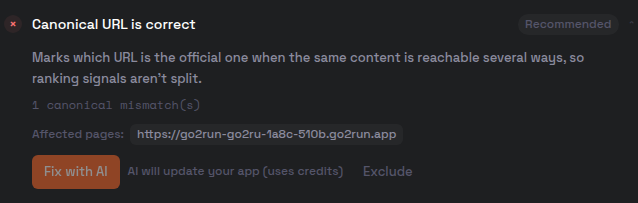
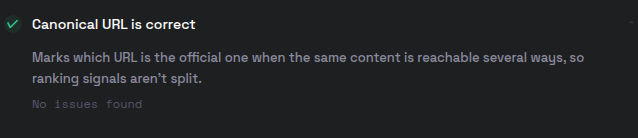
This is a technical repair on one test page. It does not mean every site check passed, and it is not a traffic or ranking case study.
Frequently asked questions
What can I build with Go2Run?
Describe your idea in plain language to create websites and web apps with AI. Preview and refine your project before publishing. Explore the showcase to see different kinds of projects.
How do I publish my website?
After your build completes, check the preview and start publishing from your workspace. Use the successful publication status and the provided URL to confirm the result. Resolve any reported errors before trying again.
Does SEO guarantee indexing or traffic?
No. SEO supports your website after it is built. Search engines independently decide crawling, indexing and rankings. Results also depend on content quality and competition; there is no guaranteed indexing time or traffic increase.
Where can I find pricing and usage limits?
Check the pricing page for plans, credits, billing periods and usage limits. Review the checkout details before purchasing.